Systems Built Around Your Workflow

The Smartest Way to Manage Work, Vendors, and Closeouts.

Built for construction, property management, and any closeout workflow. Walk units. Enter items. Hit one button — every vendor automatically gets their list. They scan a QR code, mark done, upload proof. No app. No login. Custom to your workflow.

30sec
Vendor scans &
closes an item
1click
Email every vendor
their work list
0
Apps or logins
for your vendors
Scan & Go
No app needed
EN / ES
Bilingual built-in
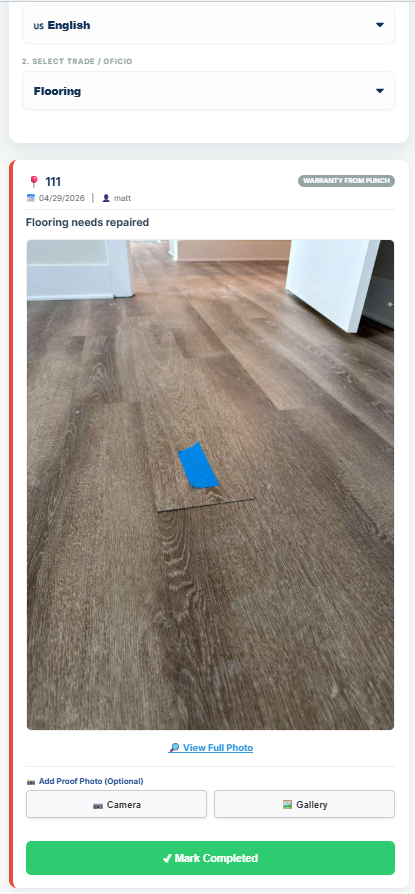
Marked Done
Photo uploaded
uBuild field operations entry
No app download
No vendor logins
Built-in EN/ES translator
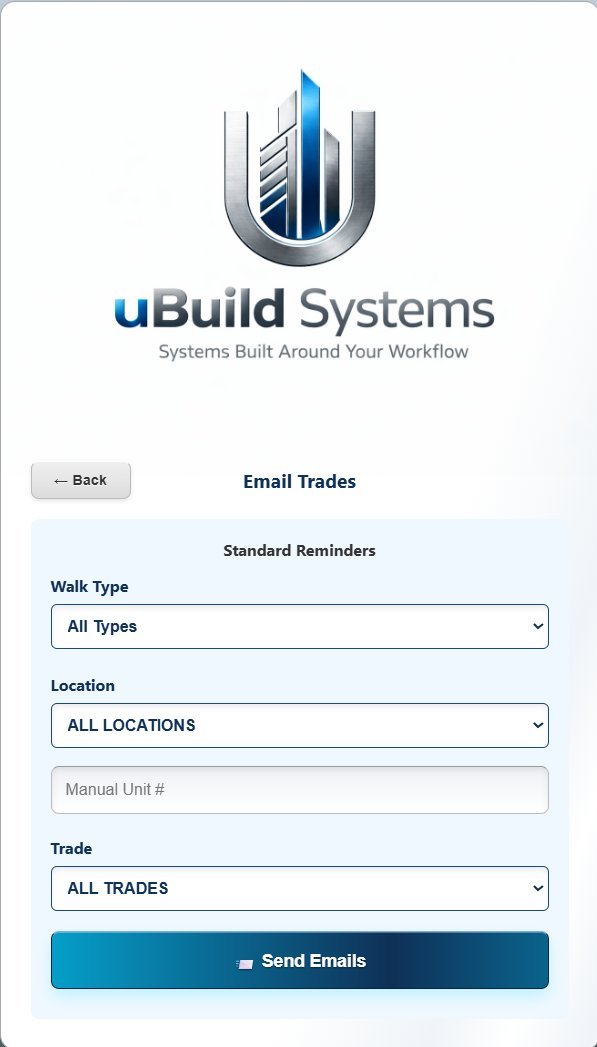
One-click email all vendors
Photo proof of work
Your logo, your brand
Custom to your workflow
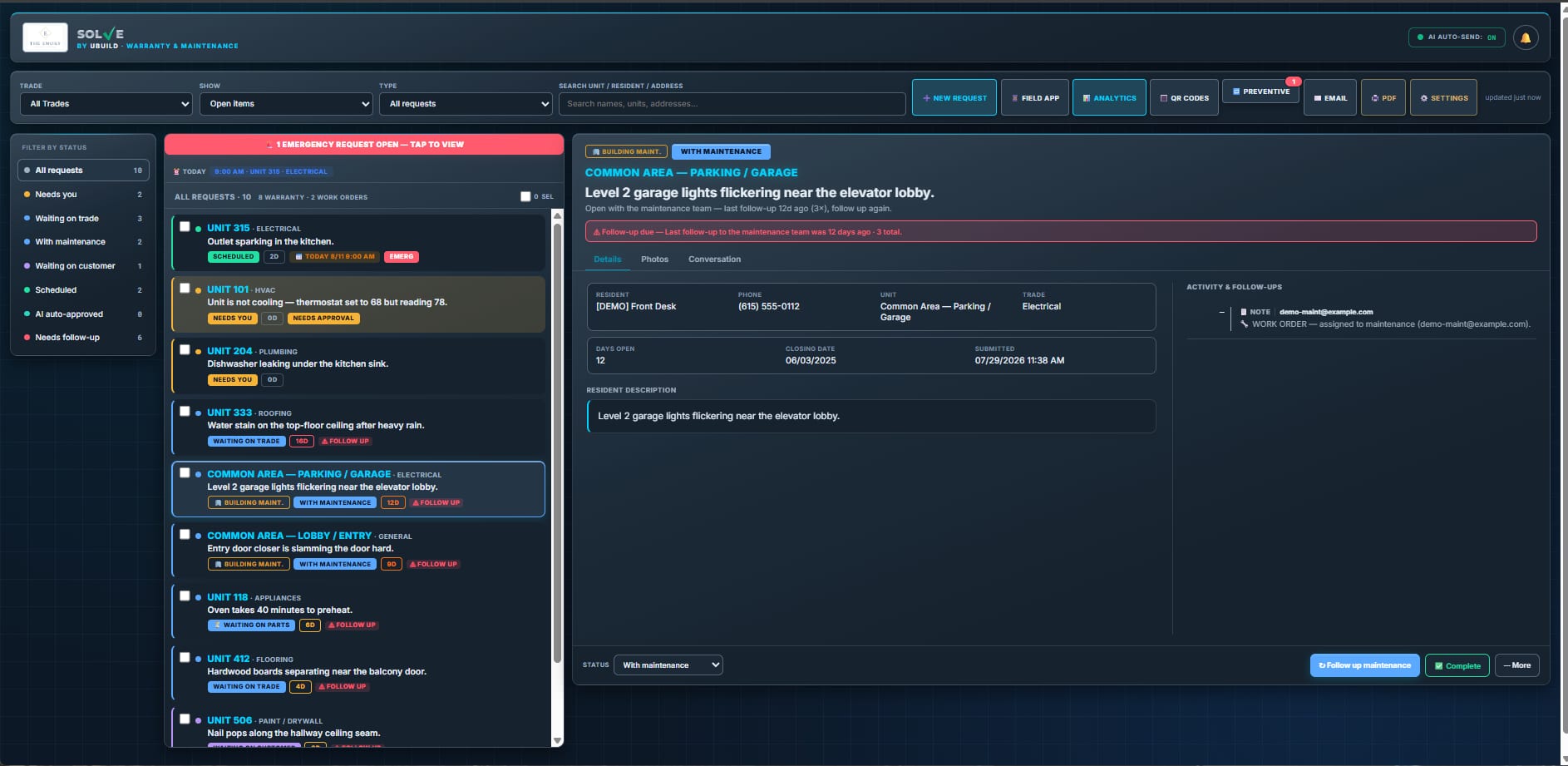
Real-time dashboard
No app download
No vendor logins
Built-in EN/ES translator
One-click email all vendors
Photo proof of work
Your logo, your brand
Custom to your workflow
Real-time dashboard

One Platform.
Many Workflows.

If you manage vendors, track work, document closeouts, or handle warranty — uBuild Systems is built for you. Custom-configured around how YOUR operation works.

Construction

Built for how GCs and builders actually operate on site. Punch lists, sub coordination, warranty callbacks, and bid management — all in one system.

  • Punch list management
  • Subcontractor accountability
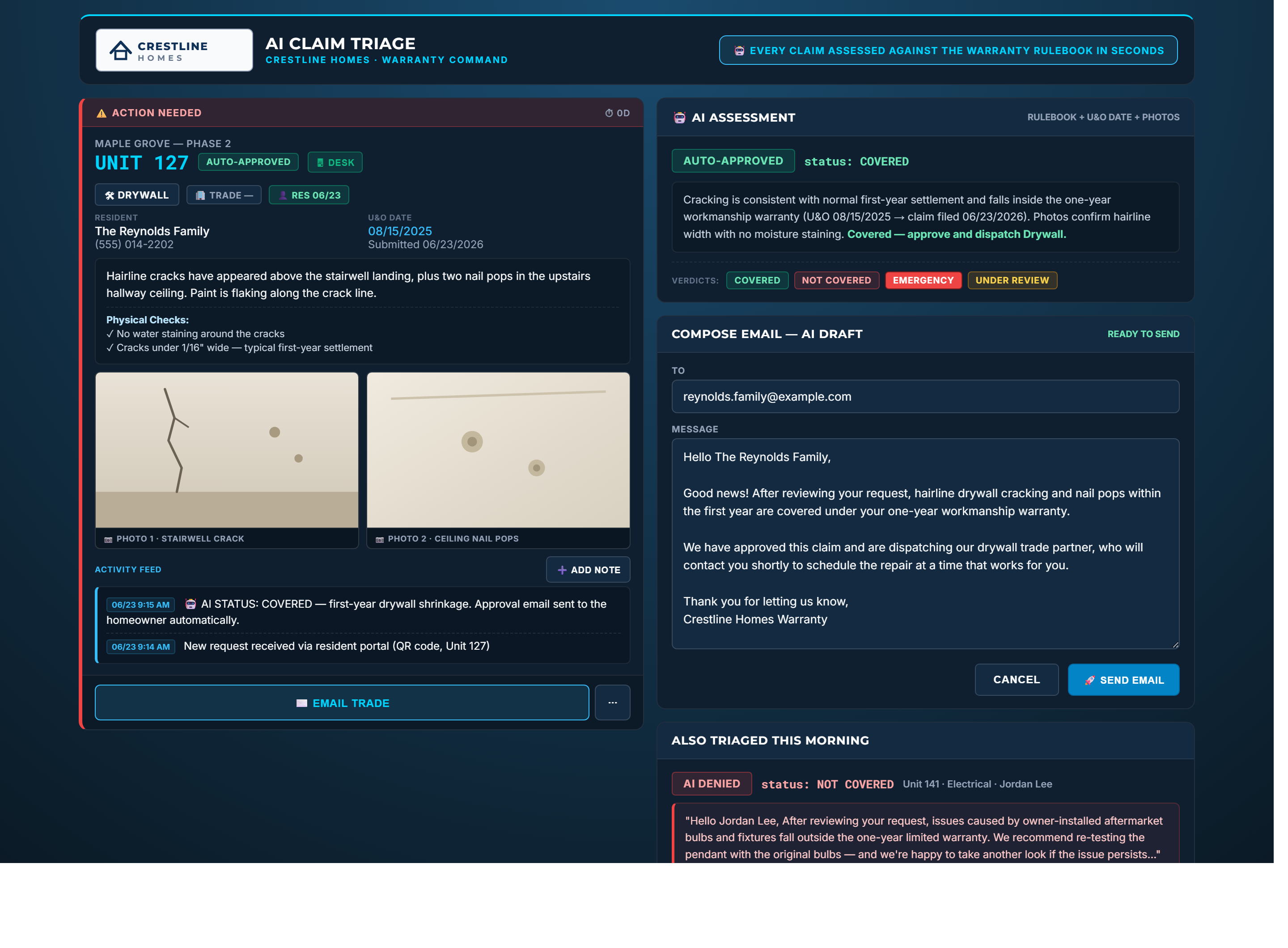
  • Warranty callback tracking
  • Back charge documentation
  • Bid portal & RFI handling

Property Management

Manage maintenance work orders, vendor accountability, and unit turnover across every property you oversee. Branded entirely as your own software.

  • Work order routing
  • Vendor accountability
  • Unit turnover tracking
  • Maintenance staff entry
  • Multi-property dashboards

Closeout & Documentation

Document everything — issue photos, completion proof, vendor responses, and timestamps. Built for any closeout workflow that demands accountability.

  • Photo proof both ways
  • Timestamped audit trail
  • Aging alerts & escalations
  • Custom report generation
  • Executive briefing emails

Three Things Nobody
Else Does.

If you remember nothing else about uBuild, remember these three things. Each one solves a real problem that other platforms can't or won't.

// 01 — Friction Killer

No App. No Login. Just Scan.

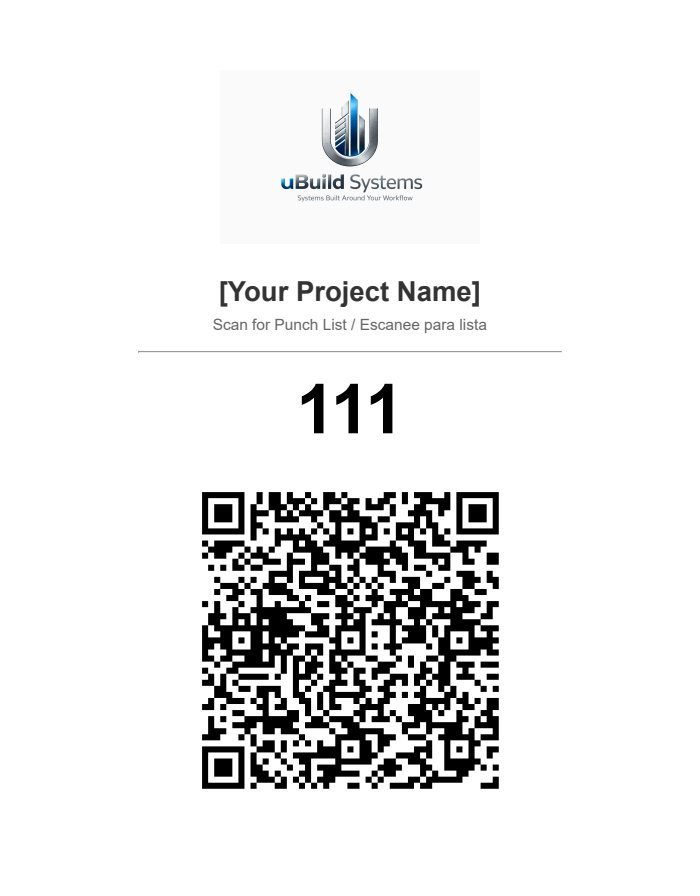
This is the feature no one else has. Vendors point their phone camera at a QR code on a wall, and they're in. No app store. No account setup. No forgotten passwords. Zero friction.

  • Works with any phone — iPhone, Android, anything with a camera
  • Built-in English / Spanish translator for diverse field crews
  • Loads vendor's specific items for that exact unit instantly
  • Mark complete, upload photo, done in under 30 seconds
Vendor Scan 12:42:08 PM
Unit 211 — 4 items loaded
Authenticated • No login required
// 02 — Time Killer

One Click. Every Vendor. Done.

Walk 30 units in a day. Enter items as you go. At the end of the day, hit one button — every vendor automatically gets an email with their specific open items. No manual emails. No texting. No chasing.

  • Filter by trade, location, walk type — sends to exactly who needs it
  • Each vendor gets ONLY their items — no confusion, no scrolling
  • Aging alerts auto-fire at 5, 10, and 15 days
  • Weekly executive briefing email — fully automated
// 03 — Difference Maker

Built Around YOUR Workflow.

Most software forces you to adapt to their system. We do the opposite. Your trades, your fields, your statuses, your reports, your brand. uBuild Systems is configured around exactly how YOUR operation runs.

  • White label — your logo and branding on every screen
  • Custom trade categories, fields, and automated email flows
  • Reports tailored to your clients' or stakeholders' format
  • Up and running in days — not the months Procore takes
Smith Construction
// builders.smithco.com
Their Brand
PineRidge Management
// service.pineridgemgmt.com
Their Brand
YOUR Company Here
// app.yourcompany.com
YOUR Brand

Walk. Enter.
One Click. Done.

The full workflow, from your first walkthrough to the final completion photo landing in real time.

// 01 / YOU

Walk & Enter

Open the app on your phone. Select the unit. Enter items, assign vendors, take photos. Submit. Move on.

// 02 / YOU

Hit Send. Done.

End of day, one button. Every vendor gets an email with their specific items. No manual emails. No chasing.

// 03 / VENDOR

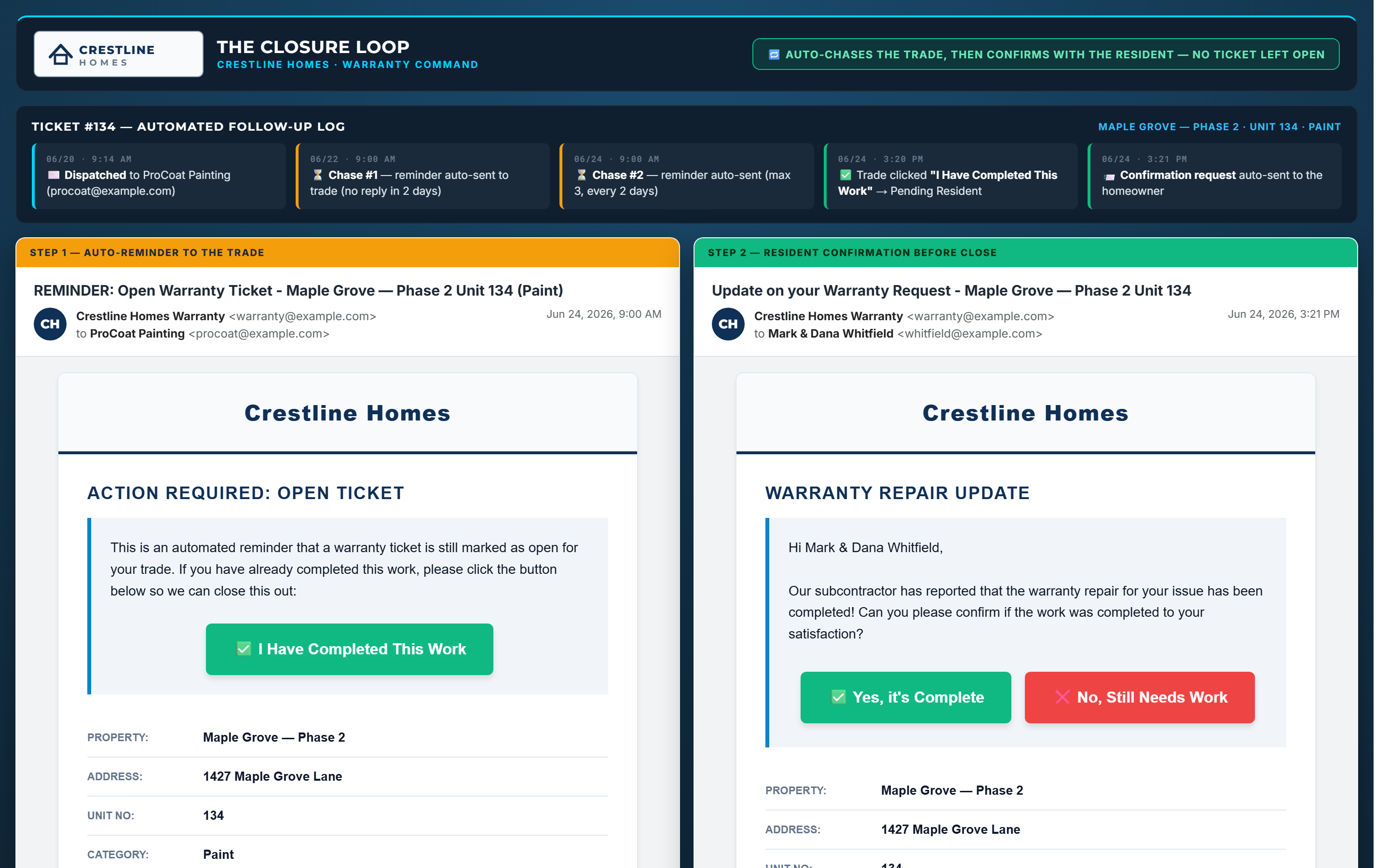
Vendor Scans QR

Vendor opens phone camera, scans QR code at the unit. Instantly sees only their items. No app, no login.

// 04 / VENDOR

Fix & Upload Photo

Vendor fixes the item, takes a photo of the work, hits complete. Your dashboard updates live.

Three Surfaces.
One Brand. Yours.

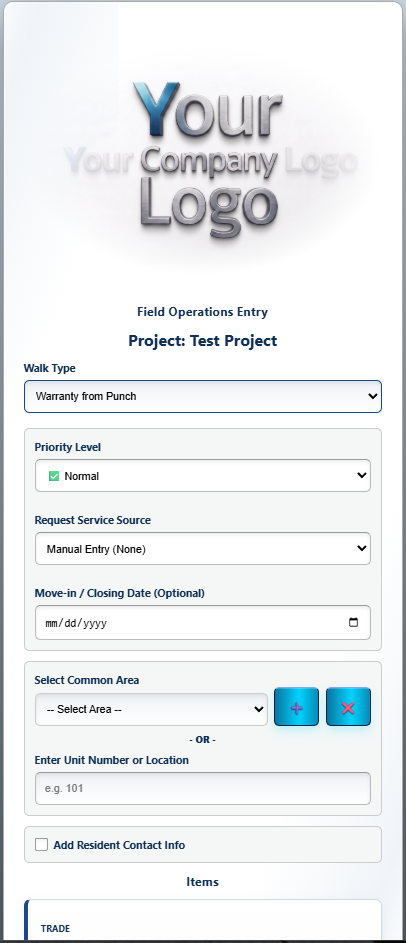
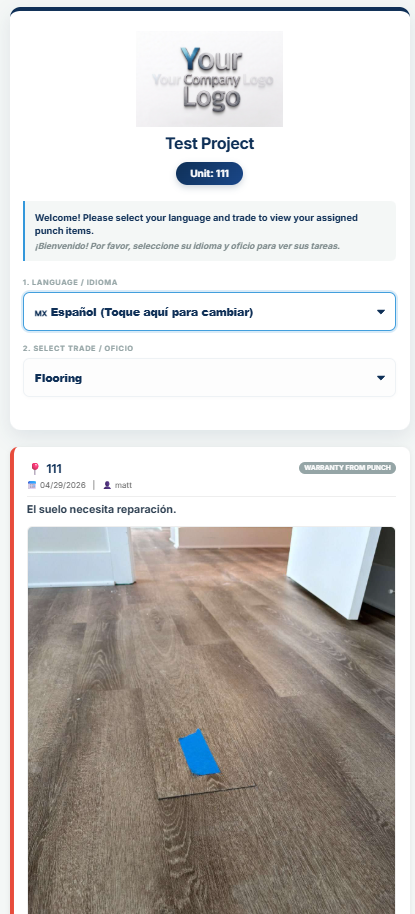
The same "Your Company Logo" placeholder shows up in the field app, the admin dashboard, and every printed report. Swap it for yours and the entire system becomes your software — not ours.

// 01 — Mobile Field App
Mobile field app showing 'Your Company Logo' placeholder
YOUR LOGO HERE

Every walkthrough, every entry, every photo upload — all under your brand on any phone, no app required.

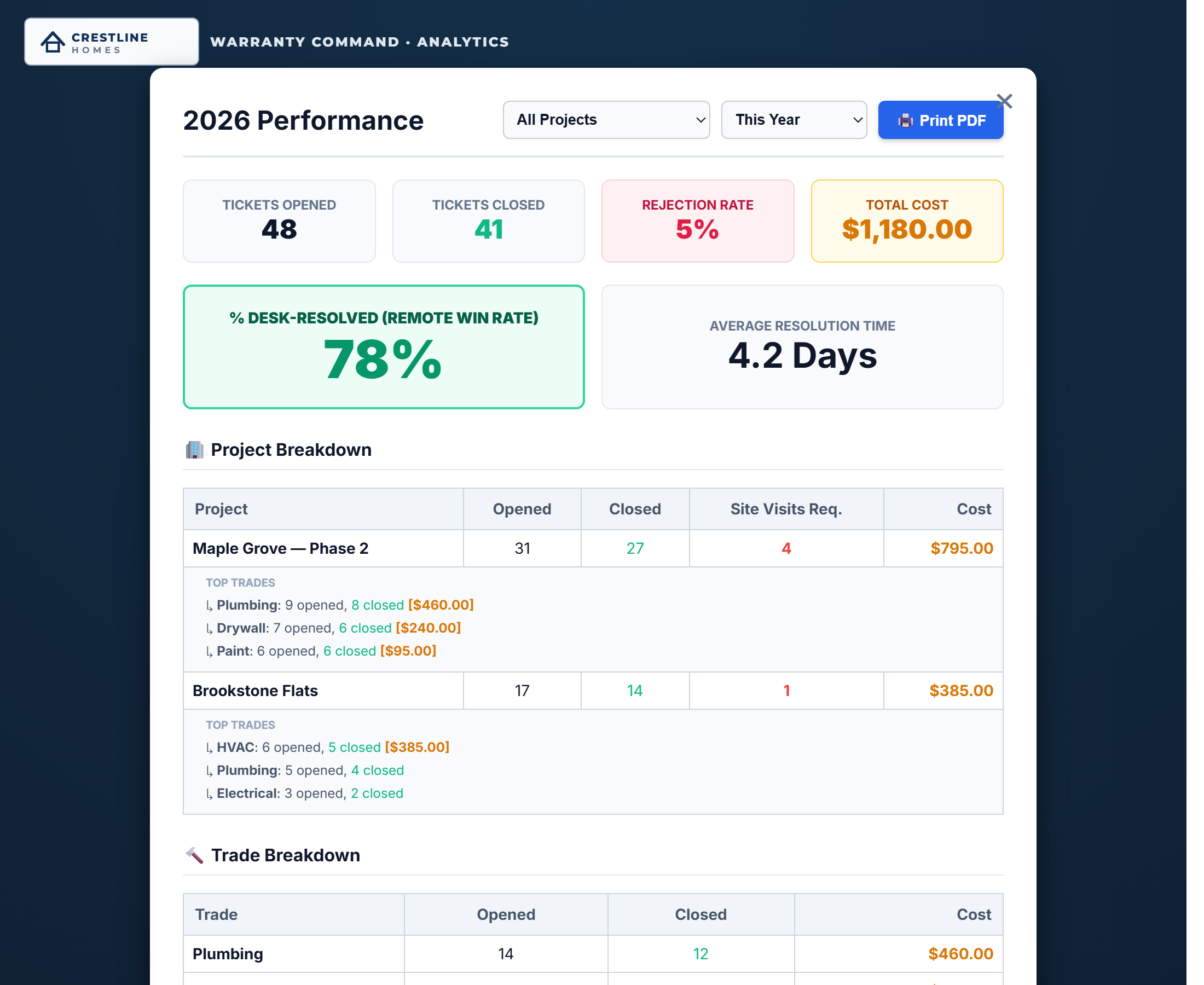
// 02 — Admin Dashboard
Admin dashboard showing 'Your Company Logo' placeholder
YOUR LOGO HERE

Office staff log into your dashboard at your domain. Your branding everywhere — not "Powered by uBuild" anywhere.

// 03 — Branded Report
Branded report showing 'Your Company Logo' placeholder
YOUR LOGO HERE

Every PDF that goes to a client, owner, or HOA carries your logo at the top — plus your contact info, your company name.

// Bonus — Built In, Not Bolted On

Bilingual on Day One.

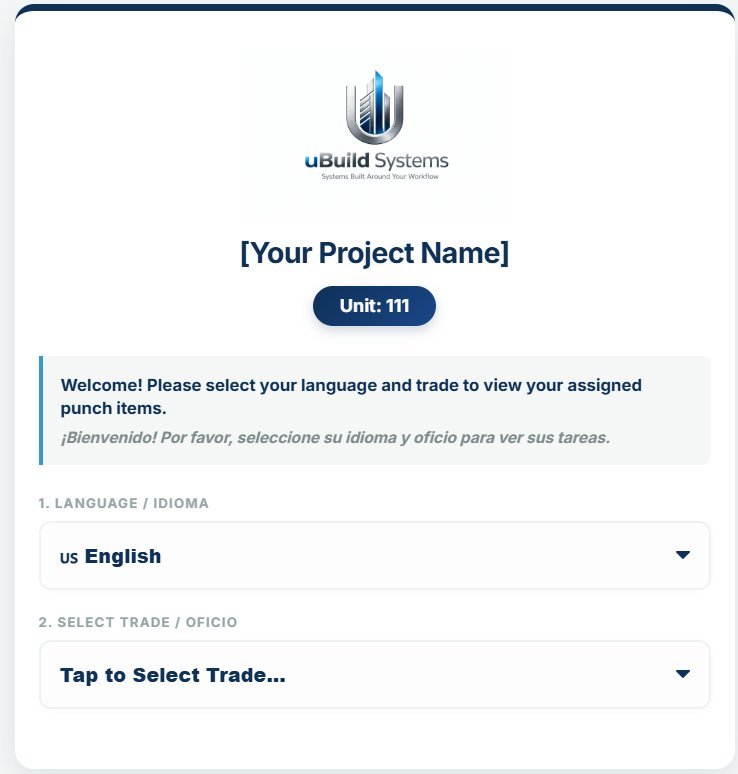
Subs and field crews tap once to switch between English and Spanish. Item descriptions, prompts, and instructions translate instantly. No add-on, no extra fee, no plug-in. A real differentiator on multi-family and commercial jobs.

ENEnglish
ESEspañol
QR sub view translated to Spanish

Real Software.
Running Right Now.

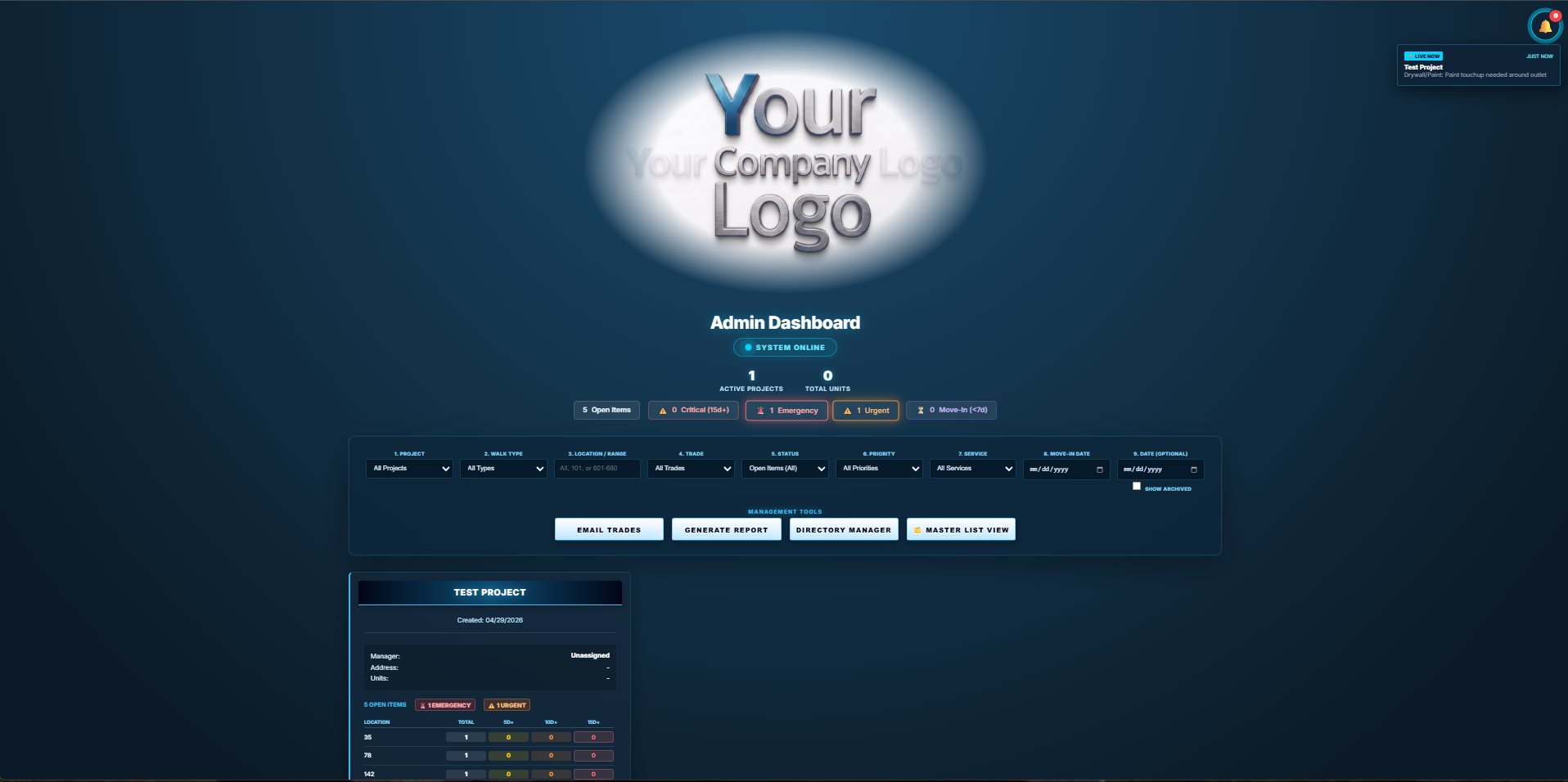
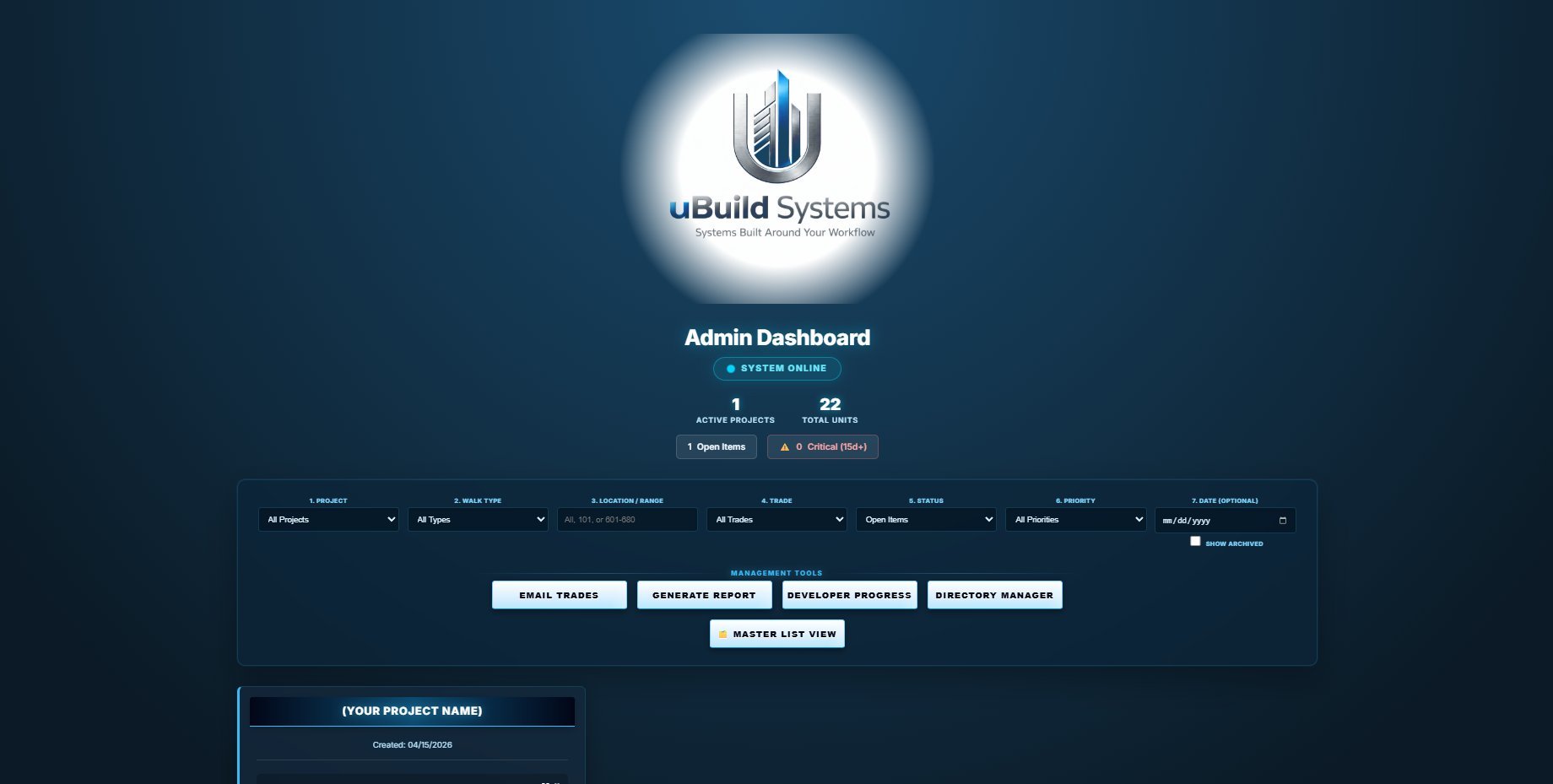
This isn't a mockup. Every screen here is from the live system actively managing thousands of items across multiple projects — built by someone who actually does this work for a living.

Admin dashboard main view
01

Aging Alerts

Items get flagged automatically as Emergency, Urgent, Critical (15d+), or Move-In (<7 days). No more sorting by hand at 6 PM Friday.

02

9-Way Filtering

Project, Walk Type, Location, Trade, Status, Priority, Service, Move-In, Custom Date. Pivot the view in a click.

03

One-Click Tools

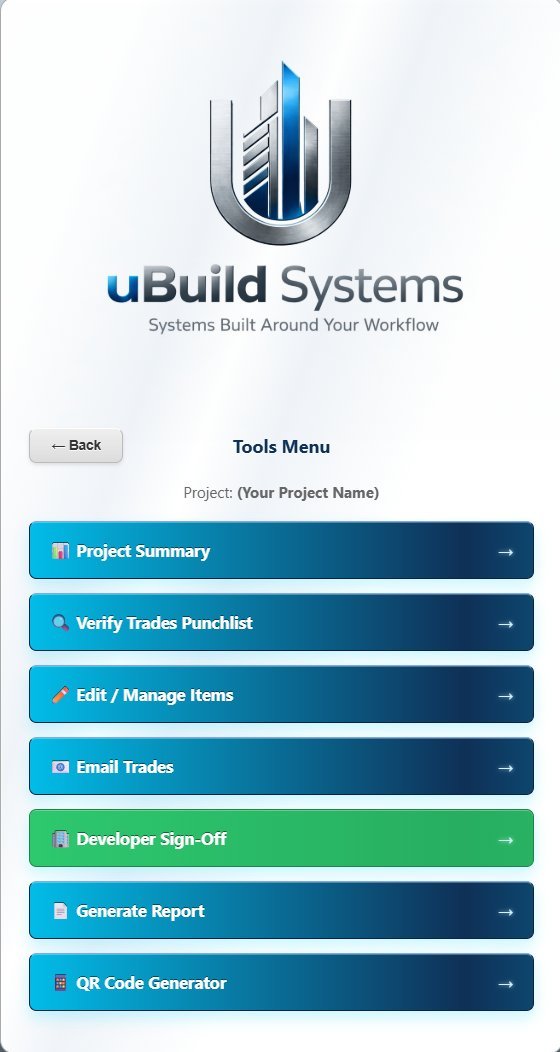
Email Trades. Generate Report. Directory Manager. Master List View. Every high-frequency action, one tap away.

04

Live Activity Feed

Items entered in the field show up in the dashboard as they happen. The "JUST NOW" notification top-right is a real ping.

// Master List View

Every Item, Every Photo,
Every Resident — One List.

Switch from project cards to a unified Master List and see every open item across every active project, sorted by priority, with the issue, photos, days open, move-in date, and resident contact in a single row. Add notes or proof photos right from the list.

  • Color-coded priority bands (Emergency / Urgent / Normal)
  • Inline photo and note attachments per row
  • Move-in date countdown badges
  • Resident name, phone, and email always visible
  • Trade, source, and type tags for instant context
Master List view with all open items

Don't Take Our Word.
Download One.

This is an actual report generated from the live system on April 29, 2026. Executive summary up top, every item below with photos, resident info, and timestamps. One click to send to owners, HOAs, or clients.

Branded report preview
// Master Punch List Report

Every Detail.
One Document.

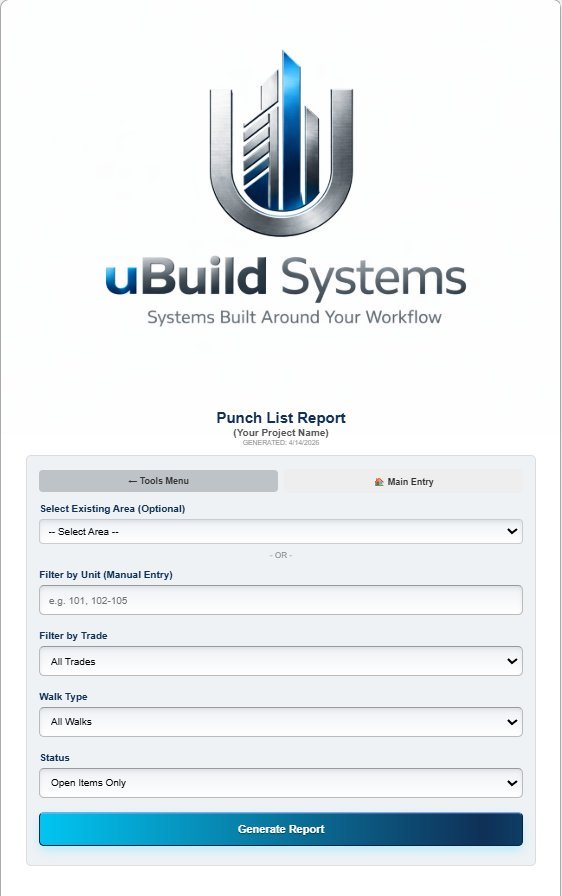
Generated automatically from your live data. Branded with your logo. Formatted to be presentable to anyone — owners, asset managers, HOA boards, or property residents. No copy-paste, no Excel cleanup.

  • Executive summary by trade with priority counts
  • Every item: unit, trade, classification, status, priority
  • Resident name, phone, and email on every entry
  • Defect photos embedded inline
  • Generated timestamp + first-notified tracking per item
Download a Real Report (PDF)

Real export · Generated 04/29/2026 · 1.3 MB

More Reasons
To Switch.

A full breakdown of what's in the platform — and why it costs a fraction of what enterprise software charges.

Configured to Your Workflow

Trades, fields, statuses, automations — all set up around how you operate. Not a one-size-fits-all template.

Custom trades Custom fields Custom statuses Built for you Auto reports Email flows
// 02

A Fraction of Procore Pricing

Skip the $50K+/year enterprise pricing. uBuild is priced around your operation — not your budget.

Procore
$50K+
uBuild
Talk to us
CloseoutPro
$50–150/u
// 03

Photo Proof Both Ways

Issue photos in. Completion photos out. Zero disputes.

// 04

Live in Days, Not Months

No IT department. No certification. No 6-month enterprise rollout.

// 05

Real-Time Dashboard

Watch items close out live. Aging alerts at 5/10/15 days.

// 06

EN / ES Built In

Vendors pick language at scan. Full UI switches instantly.

// 07

Auto Reports

Weekly executive briefings, vendor scorecards, back charge logs — all automated.

// 08

White Label Native

Your brand on every screen. Looks like your in-house software.

Straight Answers.

Do my vendors need to download an app?
No. Zero. They open their phone camera, scan a QR code, and they're in. No app store. No account. No password. Ever. This is the single biggest friction point in every other platform — and we eliminated it.
What industries is uBuild Systems built for?
Construction (GCs, custom builders, developers), property management companies, closeout and documentation services — basically any operation that manages vendors, tracks work, or documents completions. The system is configured around YOUR specific workflow, regardless of industry.
What if my vendors speak Spanish?
Covered. The vendor-facing interface is bilingual — English and Spanish built in. Vendors select their language when they scan the QR code. Full UI switches instantly. No confusion, no language barrier on site.
How long does setup take?
Days, not months. We handle the configuration — your logo, trades, fields, automations. You're usually live within a week of the discovery call. No IT department needed on your end.
Do I need Procore or any other software to use it?
No. uBuild Systems is fully standalone. It runs on its own — no existing software required, no IT department, no integrations needed. Unlike CloseoutPro, which requires a Procore subscription, uBuild stands alone.
Will it actually have OUR company's branding?
Yes — your logo on every screen. Your team and vendors will never see the uBuild name. It looks and feels like custom software you built in-house.
What if I need a custom feature or specific report?
We build custom features at $100/hr. Most setups need minimal additional customization beyond the standard configuration — but if you need a specific field, report format, or workflow, we handle it fast and affordably.
What does it actually cost?
Pricing is built around your specific operation — number of projects, custom requirements, level of configuration needed. The big difference: there are no per-user fees and no surprise costs. Book a demo and we'll give you a transparent quote based on your actual needs.

See It Live.
15 Minutes.

No pressure. No pitch. Just a live walkthrough of the full workflow — from walking a unit to a vendor's completion photo landing in real time.

Or email us directly: matt@ubuildsystems.com
uBuild Systems

Systems Built Around Your Workflow.
Not the other way around.