Warranty Command — claim management for builders

Every claim runs through a judgment engine.

Closeout ends. The warranty year begins. Homeowner claims come in structured, with photos — AI triages each one against your coverage terms and the unit's warranty clock, drafts the verdict and the reply, and holds it for your review. Then the loop runs to a documented close.

Picks up where the punch list ends — same system, same projects, same records.

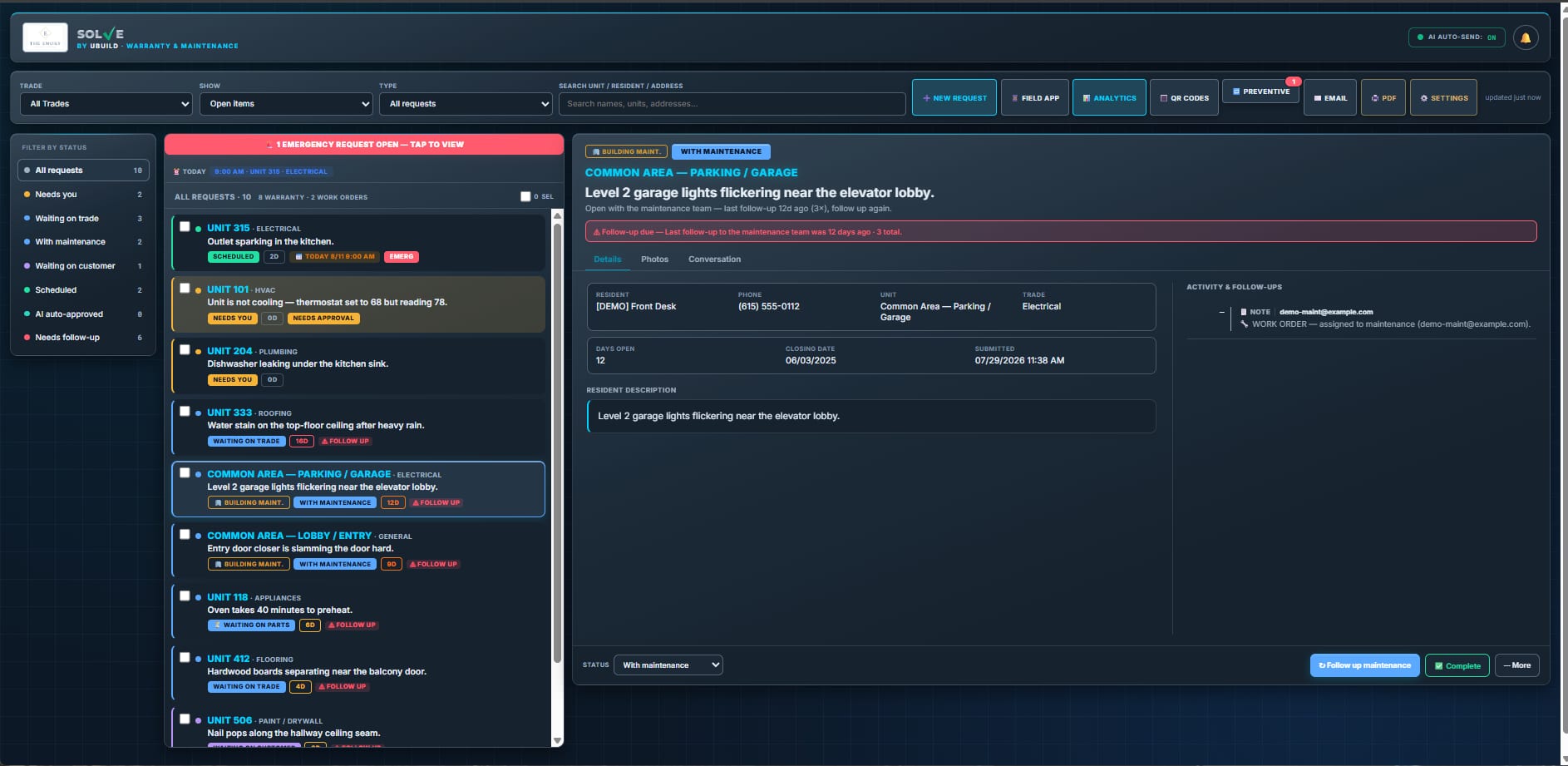
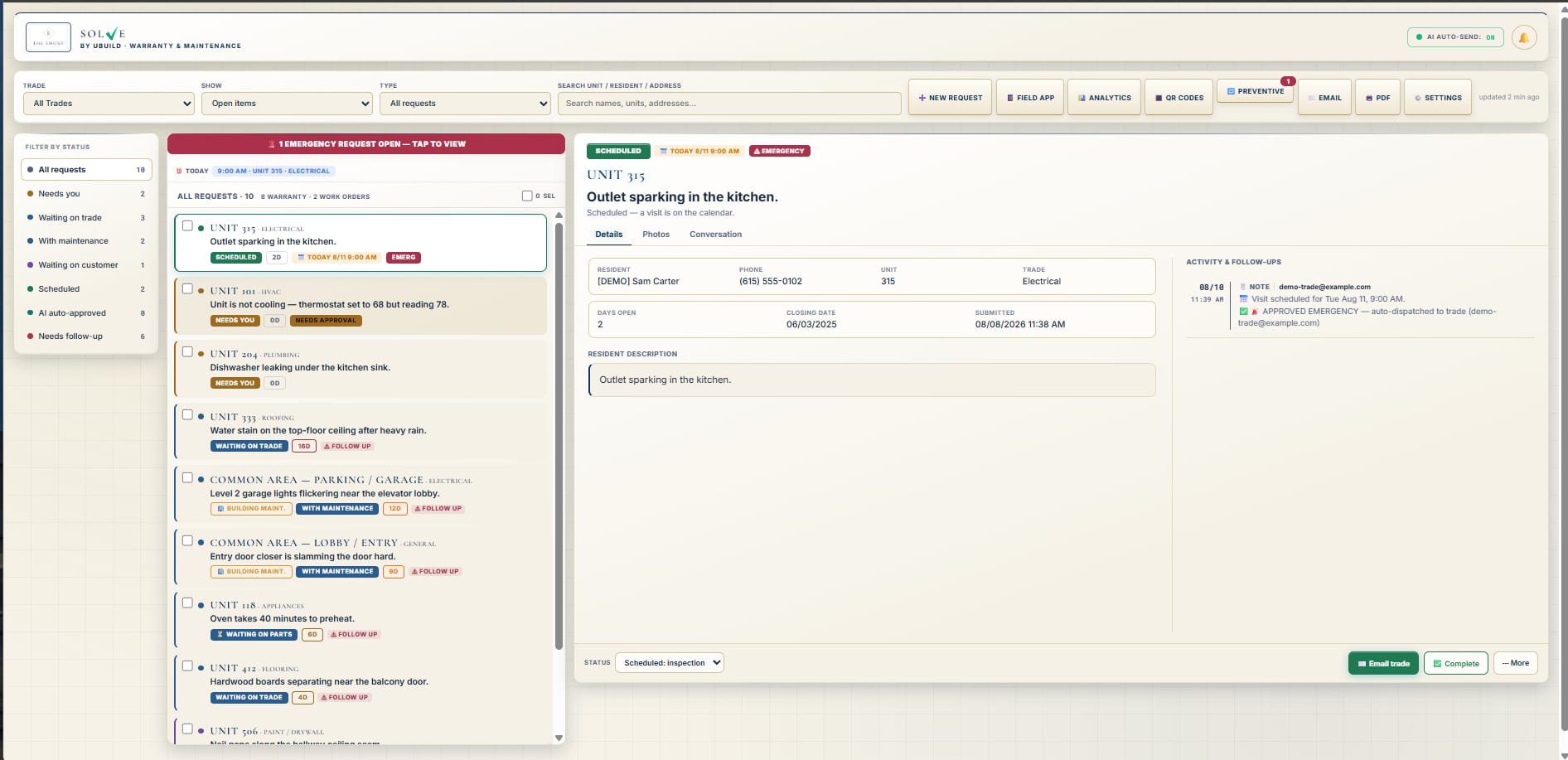
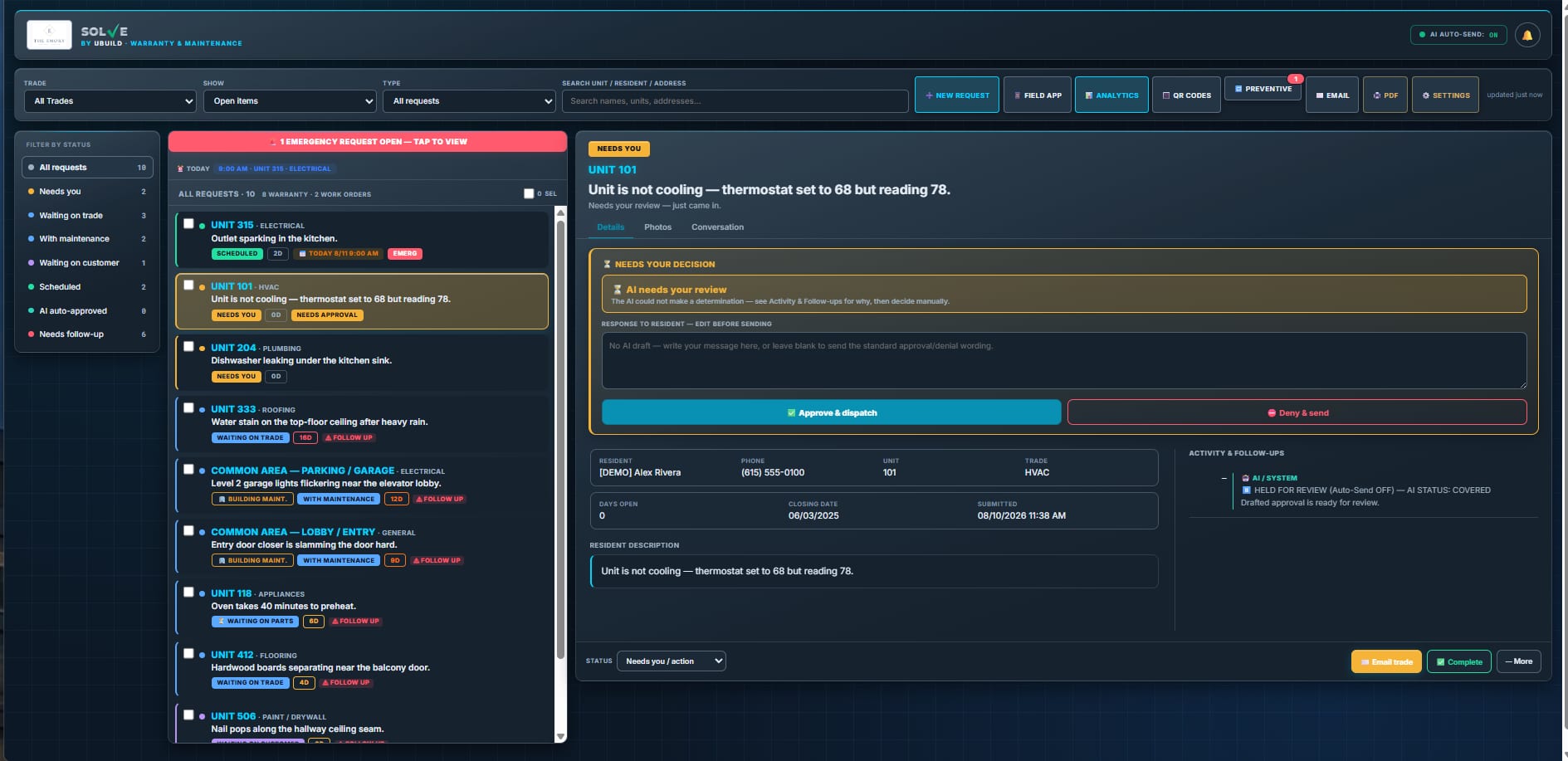
Warranty Command dashboard showing the live claim queue with triage verdicts, statuses, and per-ticket history
AI triage view scoring a homeowner claim against the builder's coverage terms

01 / How it flows

From "my faucet leaks" to closed and documented.

Every claim rides the same rails — no judgment calls at 7 AM, no sticky notes, no sub who "never got the email."

Structured intake

Homeowner submits

A branded portal, not a voicemail: pick the property and unit, describe the issue, attach photos. Guided trade-by-trade checklists deflect non-issues before they become tickets — HVAC walks through troubleshooting first, appliances route to the manufacturer.

AI triage — your call

Triaged for your review

AI checks the claim — description and photos — against your coverage terms and the unit's occupancy date, then drafts the verdict and a plain, polite reply. You review and send. Emergencies and gray areas always hold for a human; nothing weird ships on autopilot.

Documented closure

Chased to closed

Covered work dispatches to the right sub with photos attached. The sub gets a completion button, the homeowner confirms yes or no, and a "not fixed" reopens the ticket. Every email, nudge, and reply files itself onto the ticket.

Detail W-1 — life of a claim

Every claim lands in one of four lanes: Covered Not Covered Emergency Under Review

02 / What it does

Not a ticket queue. A judgment engine.

Most warranty software just collects complaints. This one weighs each claim against your terms, drafts the answer, and follows up until it's done.

W.01 — AI TRIAGE

Your coverage terms, applied the same way every time.

Coverage decisions stop depending on who answers the phone. The AI reads the claim and the photos, checks the unit's occupancy date against its warranty clock, and drafts the verdict — with the explanation already written in plain, polite language.

The hardest email — "that's not covered" — arrives at your desk pre-drafted and grounded in your terms. You review, adjust if needed, and send. It's logged on the ticket forever.

  • Photo-aware triage — the model looks at the evidence, not just the description
  • Warranty-clock enforcement — per-unit occupancy dates, with out-of-warranty warnings on the form itself
  • You keep the final say — emergencies and gray areas always hold for your review
AI claim triage screen showing the verdict, homeowner photos, and a drafted reply held for review
W.02 — CLOSURE LOOP

The chasing happens without you.

The slow death of warranty work is silence — the sub who goes quiet, the homeowner who never confirms. Here the loop closes by email, on a schedule, with every attempt logged on the ticket.

  • Sub chase emails on a set cadence — tracked and timestamped, so "never got it" doesn't fly
  • Completion button for subs, yes/no confirmation for homeowners
  • "Not fixed" reopens the ticket and sends the homeowner's feedback straight to the sub
  • Inbound email replies auto-file onto the matching ticket's activity feed
Closure loop screen showing the automated follow-up log, sub completion button, and homeowner confirmation
W.03 — COMMAND CENTER & ANALYTICS

See what year one actually costs.

The command center shows the live queue, full per-ticket history, and repeat-issue flags — the unit that keeps calling, the trade that keeps coming back. Analytics roll it all up so warranty stops being a black hole on the P&L.
  • Cost logging per ticket, rolled up by trade and by project
  • Desk-resolved vs. site-visit split — know how much you fixed without rolling a truck
  • Unit lifecycle PDF — the original punch history and the warranty record, one document
  • Staff field app — batch-log issues on site with camera capture
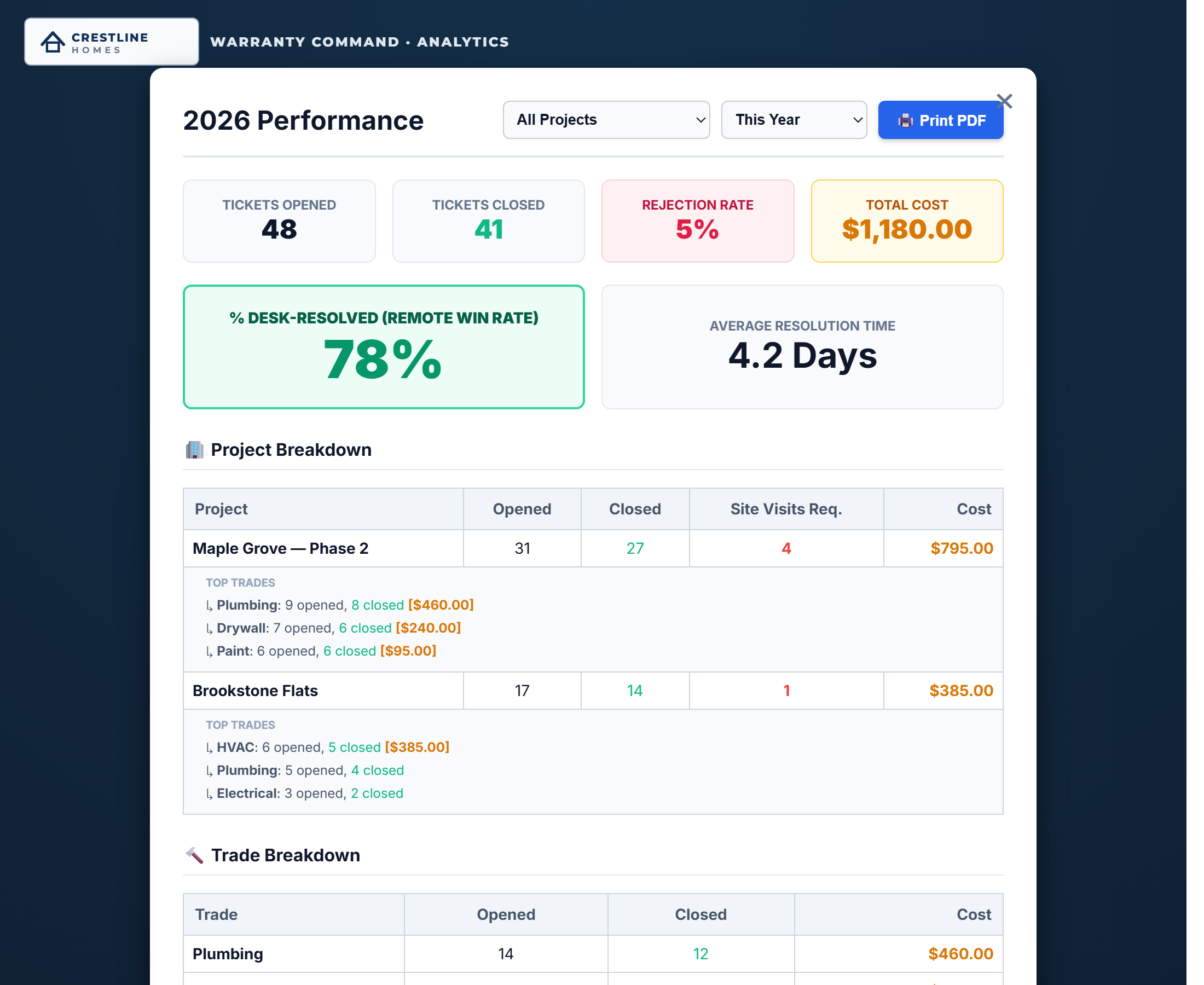
Warranty analytics screen showing opened versus closed claims, desk-resolved rate, and cost by trade

03 / One system, both halves

The punch list ends. The phone starts ringing.
Same system.

uBuild exists to run the whole back end of a build: punch list through warranty. When closeout wraps in the punch app, the warranty phase picks up in the same system — same projects, same trades, same records. A unit's construction punch history rides along into its warranty record, so when a claim comes in you're looking at the whole story, not starting a new file.

Final walk Punch list Closeout Warranty · year one

04 / Your brand, your records

Your name on the front. Our name on the maintenance.

Homeowners submit on your branded portal and hear back from your company. Behind it, uBuild hosts and maintains everything — and your projects, photos, and reports are always yours, exportable any time.

White-label

Your name on everything

The homeowner portal, every email, every report — your logo, your company. To the homeowner, it's software you built in-house.

Always yours

Your records stay your records

uBuild hosts, maintains, and backs the system so there's nothing for you to run. Your tickets, photos, and reports are always yours — exportable any time, never held hostage.

Auto-filed

Photo evidence, organized

Every uploaded photo files itself by project and unit — linked on the ticket and embedded in the dispatch email to the sub. Nothing lives in a text thread.

05 / Book a demo

Watch a claim run the rails.

We'll walk you through the whole loop — a claim lands, gets triaged, you approve the verdict, the sub gets dispatched, and the ticket closes documented. No pressure.

systems built around your workflow