The GC Punch App

Walk the unit. Hit send. Subs handle the rest.

Enter items on your phone as you walk. One button emails every sub their list. They scan a QR code — no app, no login — close their items with photo proof, and your branded report writes itself.

Built by builders in Nashville, TN — running on real jobsites today.

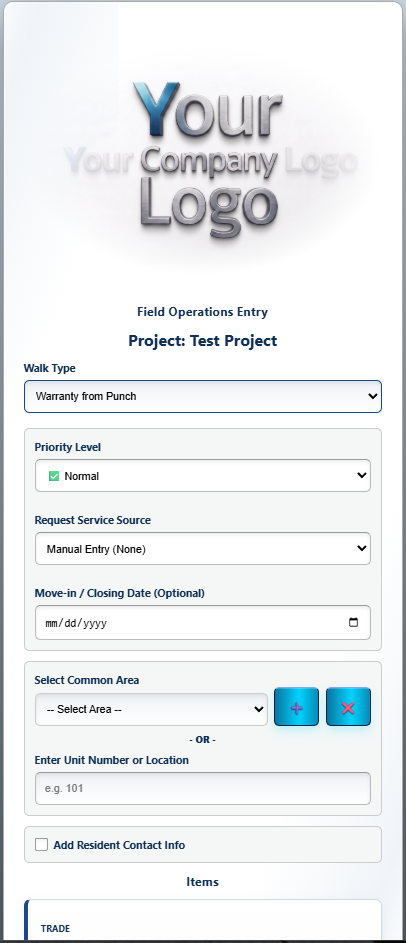
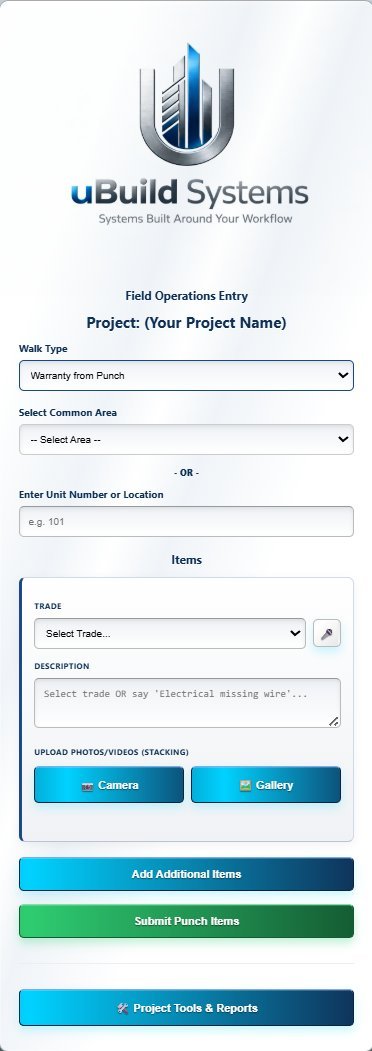
The GC Punch App on a phone — entering punch items during a unit walk

sheet P-01 · the punch walk

01 / What sets it apart

Three things nobody else does.

Remember nothing else about this page. Just these three.

D.01 — QR SUB PORTAL

No app. No login. Just scan.

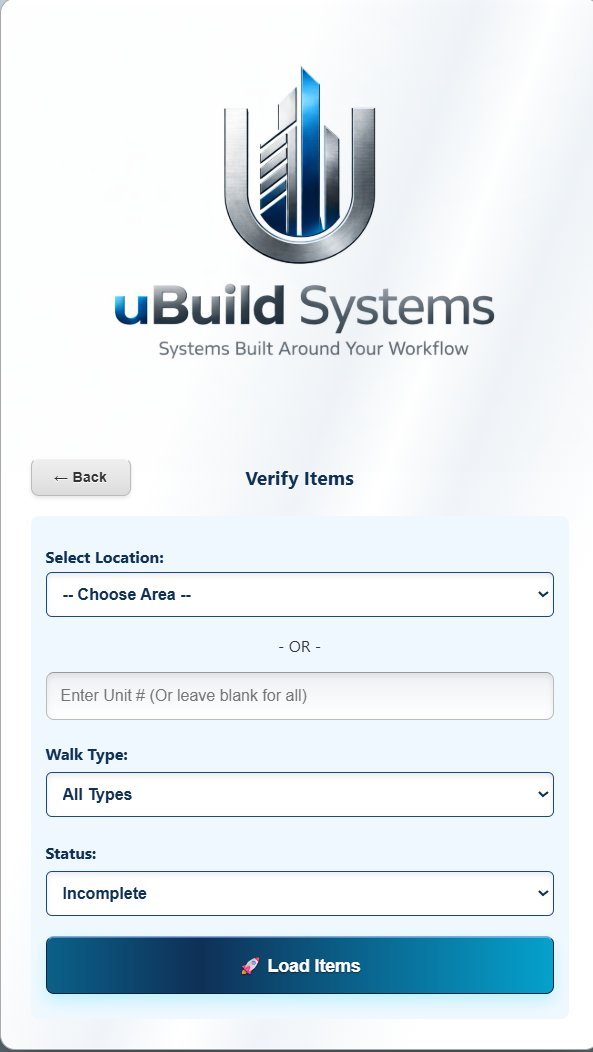
Subs point their phone camera at a QR code on the wall — and they're in. No app store, no account, no forgotten passwords. That's the single biggest friction point in every other platform, and it's gone.

  • Each trade sees only their own items
  • Works on any phone with a camera — nothing to install
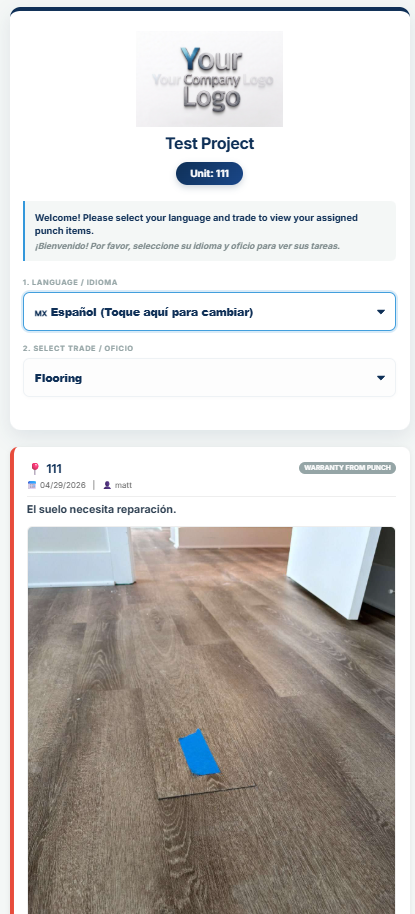
  • One tap flips the whole list to Spanish
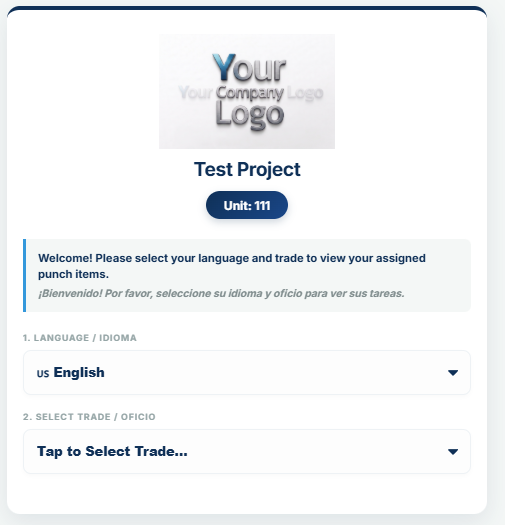
The QR sub portal on a phone: a subcontractor's menu of open punch items, opened from a QR code with no app or login
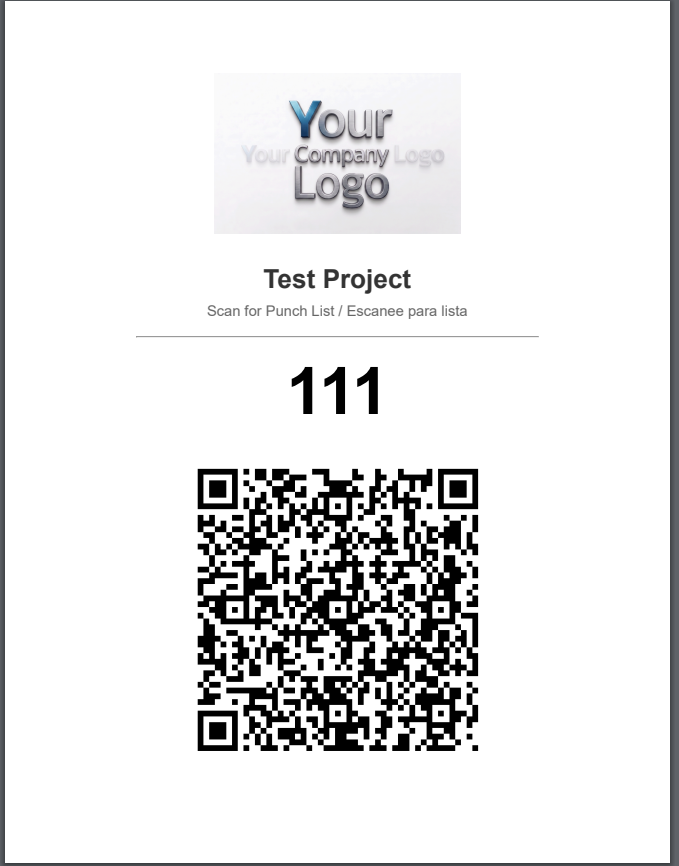
A printed QR code sheet taped up in the unit for subs to scan

The sub portal — scanned straight off the wall.
D.02 — EMAIL TRADES

One click. Every trade gets their list.

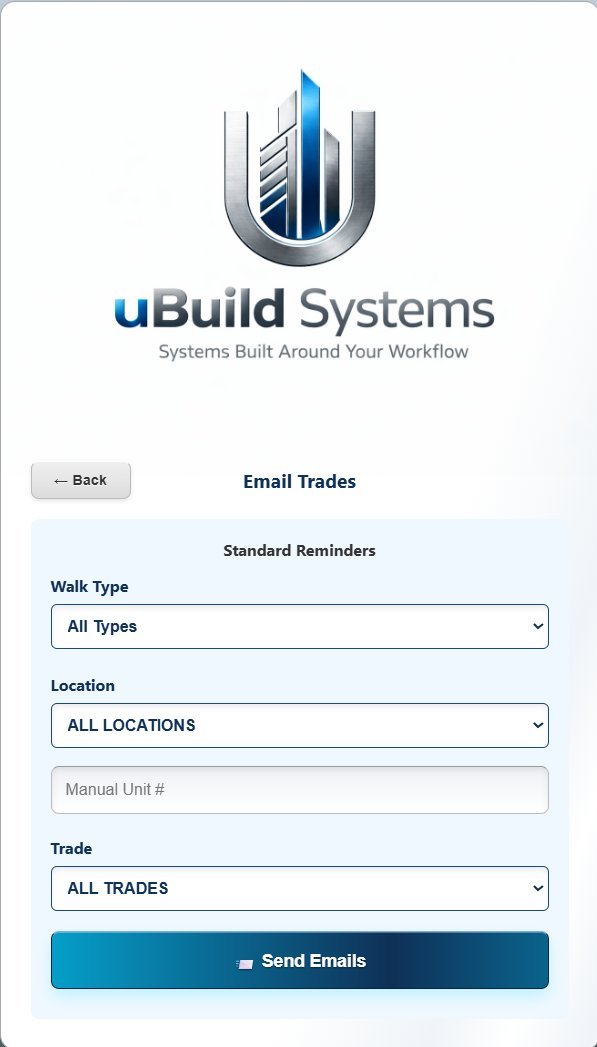
Walk the units, enter items as you go, then hit one button. Every sub on the project gets an email with only their open items — photos, locations, and how long each item has been sitting.

  • Aging alerts fire automatically at 5, 10, and 15 days
  • Set it weekly and the accountability runs itself
  • No manual emails. No chasing.
The Email Trades screen: one click sends every subcontractor their open punch items
D.03 — WHITE-LABEL BRANDING

Your logo. Your brand. Your software.

The field app, the dashboard, and every PDF report carry your brand — not ours. To your team and your subs it looks like software you built in-house. And it's live in days, not months.

  • No "Powered by uBuild" anywhere
  • Your logo on every screen and every report
  • We handle setup — no IT department needed
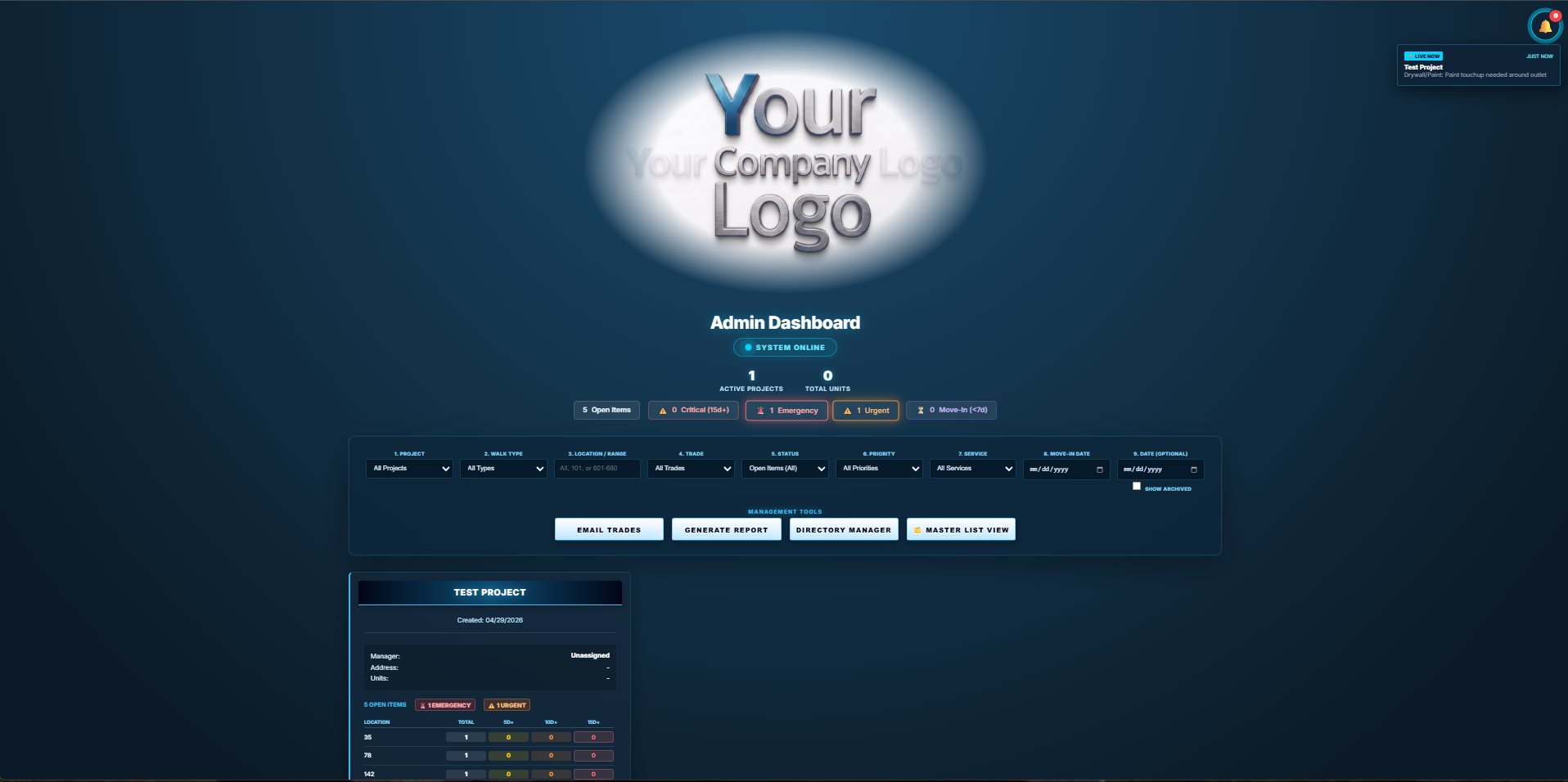
Admin dashboard branded with your company logo instead of uBuild's

Your logo goes where ours is. Everywhere.

02 / How it works

Walk. Scan. Done.

The whole workflow, from the first walkthrough to the last completion photo. Three moves.

You — in the unit

Walk

Open the app on your phone. Select the unit. Enter items, assign trades, snap photos. Every item is time-stamped and assigned before you leave the room. End of day, hit send — every sub gets their list.

The mobile field app entry screen while walking a unit
Sub — at the unit

Scan

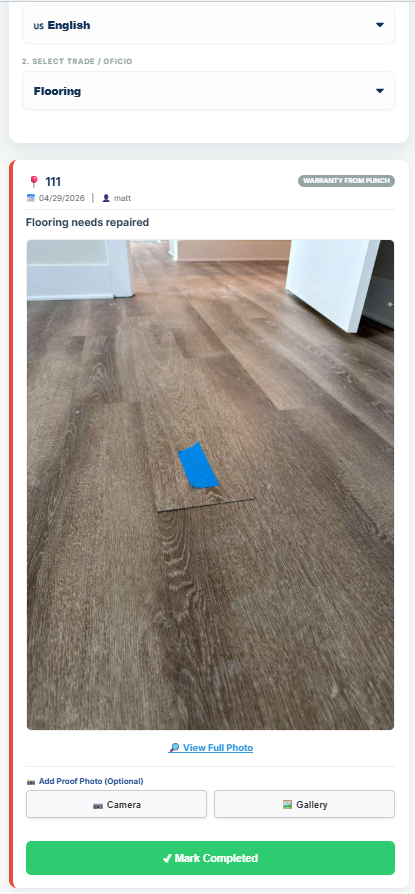
The sub scans the QR code at the unit or opens the email link. They instantly see only their items — no app, no login, English or Spanish in one tap.

A subcontractor's view of a punch item, opened from a QR code
Signed off

Done

The sub fixes the item, uploads a photo of the work, and marks it complete. Your dashboard updates live, and you verify until the unit is done-done.

Verifying completed punch items with photo proof

03 / White-label, for real

Three surfaces. One brand. Yours.

The field app, the admin dashboard, and every PDF report all carry your logo. It becomes your software.

S.01 — Mobile field app

Mobile field app home screen carrying your company's branding
Your logo here

Every walkthrough, entry, and photo upload — under your brand, on any phone.

S.02 — Admin dashboard

Admin dashboard carrying your company's branding
Your logo here

Office staff work in your dashboard, with your branding, start to finish.

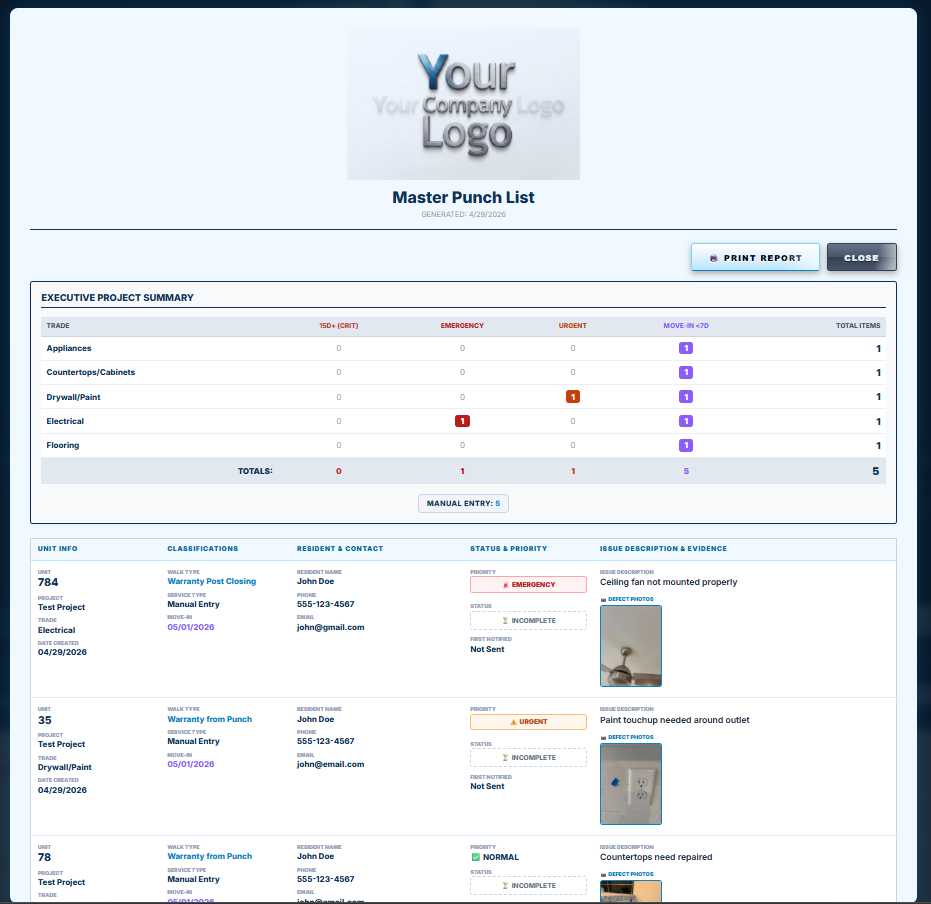
S.03 — Branded PDF report

Branded PDF punch list report with your logo at the top
Your logo here

Every PDF to an owner or client carries your logo and company name at the top.

Set in stone

Systems built around
your workflow.

It's carved on the base for a reason. The punch app bends to the way your crews already run a closeout — your trades, your walk types, your report format — not the other way around.

04 / Try it right now

Don't read about it. Use it.

The live demo is the real, running system — not a video. Scan a QR like a sub would, close a punch item with a photo, and see the branded report your team would send.

05 / Inside the dashboard

Real software, running right now.

These screens aren't mockups — they're the live system, built by someone who walks units for a living.

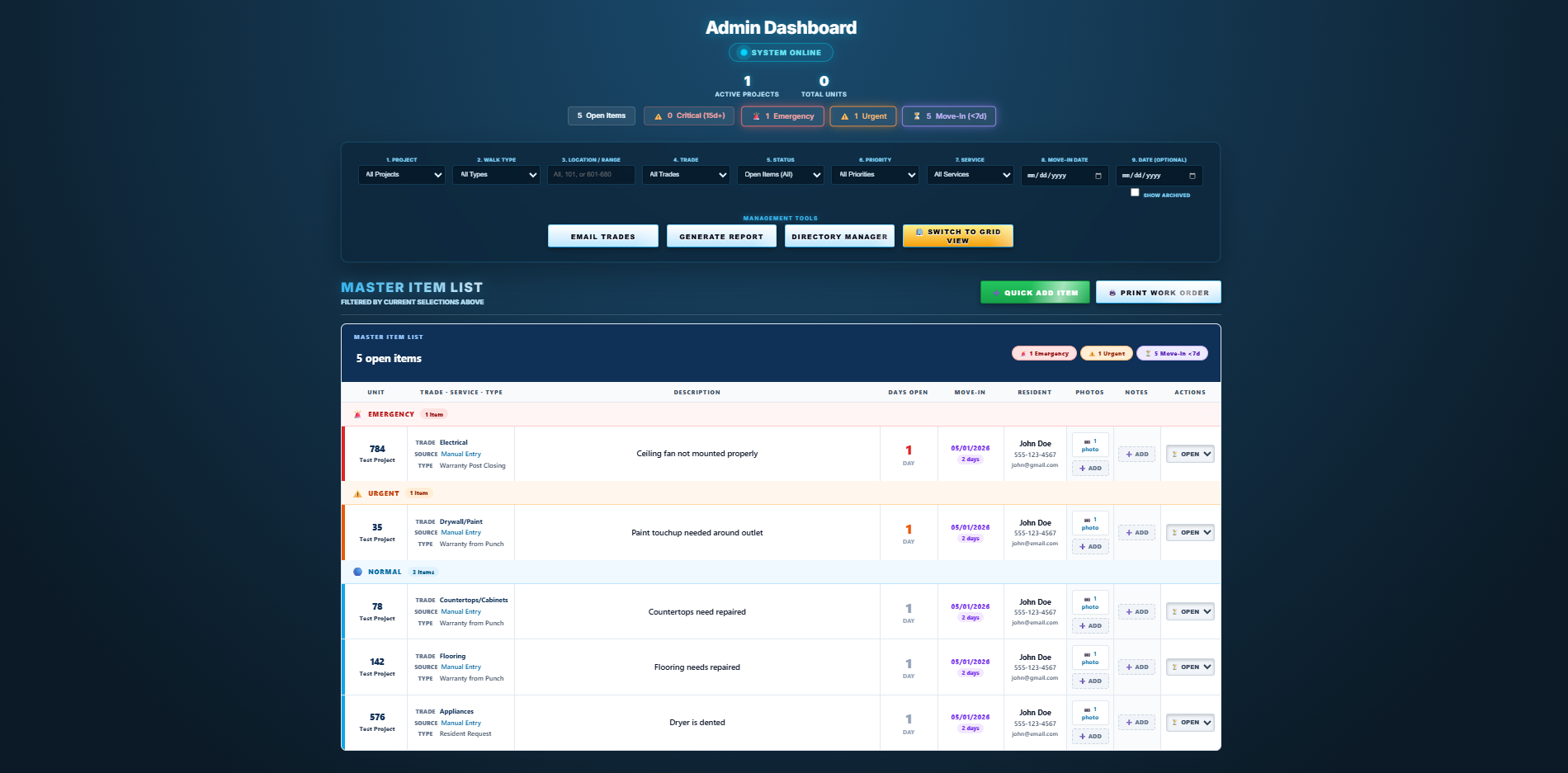
Admin dashboard main view with project cards, filters, and one-click tools
01

Aging alerts

Items get flagged automatically as they sit — including a move-in countdown — so nothing quietly dies. No more sorting by hand at 6 PM Friday.

02

9-way filtering

Project, walk type, location, trade, status, priority, service, move-in, custom date. Pivot the view in a click.

03

One-click tools

Email Trades. Generate Report. Directory manager. Master List. Every high-frequency action is one tap away.

04

Live activity feed

Items entered in the field show up on the dashboard as they happen — the office sees the walk in real time.

T.02 — MASTER LIST

Every item, every photo — one list.

Switch from project cards to the Master List and see every open item across every active project in a single view: the issue, the photos, days open, and move-in date in one row.

  • Color-coded priority bands
  • Inline photo and note attachments per row
  • Move-in date countdown badges
  • Trade, source, and type tags for instant context
Master List view showing every open punch item across projects with priorities and photos

06 / A real report

Branded as yours. Down to the PDF.

Generated automatically from your live data and formatted to hand straight to owners, asset managers, or HOA boards. No copy-paste, no Excel cleanup — and your brand at the top.

  • Executive summary by trade with priority counts
  • Defect photos embedded inline, item by item
  • Timestamps and first-notified tracking per item
Open a real sample report (PDF) →
Preview of a branded PDF punch list report with company logo, item photos, and status columns

07 / Built in, not bolted on

The QR sub portal translated to Spanish with one tap

Bilingual on day one.

Subs and field crews tap once to switch between English and Spanish. Item descriptions, prompts, and instructions translate instantly — no add-on, no extra fee, no plug-in. On multi-family and commercial jobs, that's the difference between a list that gets read and a list that gets ignored.

ENEnglish ESEspañol

08 / Common questions

Straight answers.

Do my subs need to download an app?
No. Zero. They open their phone camera, scan a QR code, and they're in. No app store, no account, no password — ever. That's the single biggest friction point in every other platform, and we eliminated it.
What if my subs speak Spanish?
Covered. The sub-facing side is bilingual — English and Spanish built in. Subs pick their language when they scan, and the whole list switches instantly. No language barrier on site.
How long does setup take?
Days, not months. We handle the configuration — your logo, your trades, your automations. You're usually live within a week of the first call, and no IT department is needed on your end.
Do I need Procore or any other software to use it?
No. It's fully standalone — uBuild hosts and maintains everything, so there's nothing to install and nothing for your IT to manage. And your projects, photos, and reports are always yours: exportable any time, in formats you can actually use.
Will it actually carry OUR company's branding?
Yes — your logo on every screen and every report. Your team and your subs never see the uBuild name. It looks and feels like software you built in-house.

The next walk is yours

Walk one unit. You'll get it.

Run the whole flow yourself in the live demo — or book a quick call and we'll walk you through it on a real project.